0
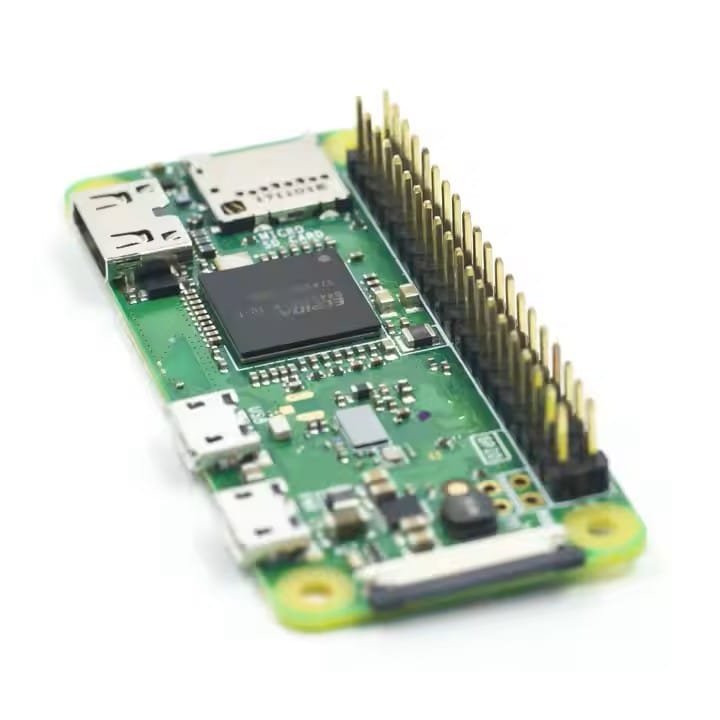

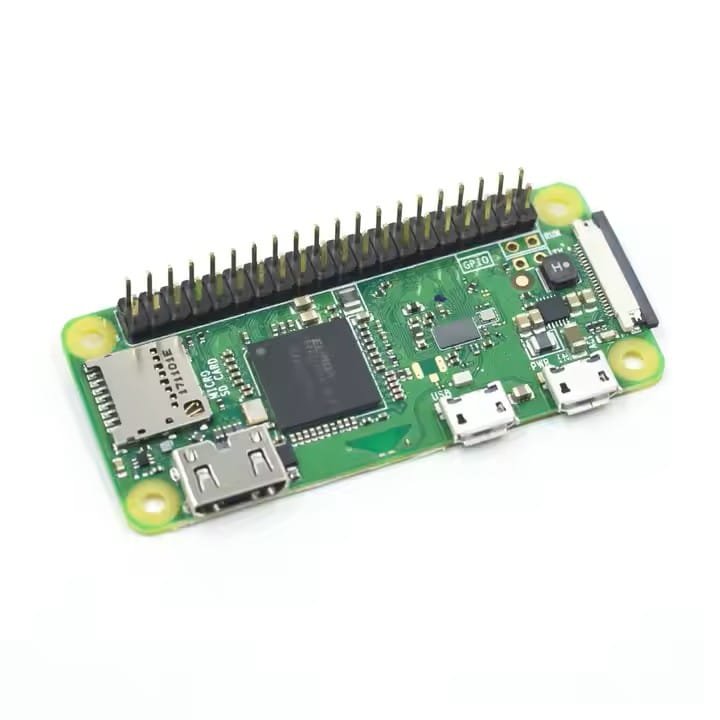
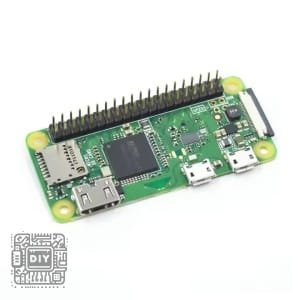
Raspberry Pi Zero WH
44,000 د.ع
Raspberry Pi Zero WH Board 1GHz CPU 512MB RAM with WIFI & PI0 RPI 0 W with Soldering Raspberry Pi 3b+
In stock
CompareDescription
The Raspberry Pi Zero WH Board is a compact and portable development board designed for various applications, including education, prototyping, and IoT projects. It features a high-performance CPU, integrated Wi-Fi, and easy soldering capabilities, making it an excellent choice for developers and hobbyists.
Specifications:
1-CPU: 1GHz single-core ARM1176JZF-S
2-RAM: 512MB LPDDR2 SDRAM
3-Wireless Connectivity: 802.11 b/g/n wireless LAN, Bluetooth 4.1, Bluetooth Low Energy (BLE)
4-CSI camera connector
Ports:
1 x Mini HDMI
1 x Micro USB OTG
1 x Micro USB power
1 x CSI camera connector
GPIO: 40-pin GPIO header (pre-soldered)
Storage: MicroSD card slot
Power Supply: 5V via Micro USB
Dimensions: 65mm x 30mm x 5mm
Weight: 9g
Features:
1-High-Performance CPU and RAM: Equipped with a 1GHz CPU and 512MB RAM, providing efficient performance for various applications.
2-Integrated Wi-Fi and Bluetooth: Built-in wireless connectivity for seamless internet access and communication.
3-Compact and Portable Design: Small form factor, making it ideal for on-the-go projects and applications.
4-Easy Soldering: Pre-soldered 40-pin GPIO header for easy integration with other components and accessories.
5-Versatile Application Options: Suitable for a variety of applications, including education, prototyping, and IoT projects.
Pinout Diagram:
Here’s the pinout diagram for the Raspberry Pi Zero WH Board:
| Pin | Name | Function |
|---|---|---|
| 1 | 3V3 | 3.3V Power |
| 2 | 5V | 5V Power |
| 3 | GPIO2 | SDA1 (I2C) |
| 4 | 5V | 5V Power |
| 5 | GPIO3 | SCL1 (I2C) |
| 6 | GND | Ground |
| 7 | GPIO4 | GPCLK0 |
| 8 | GPIO14 | TXD0 (UART) |
| 9 | GND | Ground |
| 10 | GPIO15 | RXD0 (UART) |
| 11 | GPIO17 | General Purpose Input/Output |
| 12 | GPIO18 | PCM_CLK |
| 13 | GPIO27 | General Purpose Input/Output |
| 14 | GND | Ground |
| 15 | GPIO22 | General Purpose Input/Output |
| 16 | GPIO23 | General Purpose Input/Output |
| 17 | 3V3 | 3.3V Power |
| 18 | GPIO24 | General Purpose Input/Output |
| 19 | GPIO10 | SPI_MOSI |
| 20 | GND | Ground |
| 21 | GPIO9 | SPI_MISO |
| 22 | GPIO25 | General Purpose Input/Output |
| 23 | GPIO11 | SPI_CLK |
| 24 | GPIO8 | SPI_CE0_N |
| 25 | GND | Ground |
| 26 | GPIO7 | SPI_CE1_N |
| 27 | ID_SD | I2C ID EEPROM |
| 28 | ID_SC | I2C ID EEPROM |
| 29 | GPIO5 | General Purpose Input/Output |
| 30 | GND | Ground |
| 31 | GPIO6 | General Purpose Input/Output |
| 32 | GPIO12 | PWM0 |
| 33 | GPIO13 | PWM1 |
| 34 | GND | Ground |
| 35 | GPIO19 | PCM_FS |
| 36 | GPIO16 | General Purpose Input/Output |
| 37 | GPIO26 | General Purpose Input/Output |
| 38 | GPIO20 | PCM_DIN |
| 39 | GND | Ground |
| 40 | GPIO21 | PCM_DOUT |
How to Use:
1-Prepare the MicroSD Card: Download and install the Raspberry Pi OS on a microSD card.
2-Insert the MicroSD Card: Insert the prepared microSD card into the microSD card slot on the Raspberry Pi Zero WH Board.
3-Connect Peripherals: Connect a keyboard, mouse, and monitor to the board using the appropriate adapters and cables.
4-Power the Board: Connect a 5V power supply to the Micro USB power port.
5-Access the OS: Once powered on, the Raspberry Pi OS will boot up, and you can start using the board for your projects.
Package:
1xRaspberry Pi Zero WH Board



Reviews
There are no reviews yet